# How to Create a Web ApplicationStep-by-step tutorial for creating a web application with WebPros Nova: describe the app in a prompt (includes a bakery inventory management example), click Start Building to generate interface design, database structure, and core functionality, then refine using Chat, Edit Previous Prompts, and element-level editing before publishing. Covers SaaS products, internal tools, and dashboards.
Use Nova to create a web application (web app) from a prompt, refine the result, and publish it. This tutorial explains the steps to turn your idea into a working web app, such as a SaaS product, internal tool, or dashboard.
{{< callout context="note" icon="outline/info-circle" >}}
For steps to create a website instead, read our [How to Create a Website](/en/welcome/how-to-create-a-website/) documentation.
{{< /callout >}}
## Describe your web app
Start by entering a prompt that describes your web app idea. For the best results, include details about the main goal of your web app, the target users, and any specific features that you need. For more information, read our [Prompting Best Practices](/en/welcome/prompting-best-practices/) documentation.
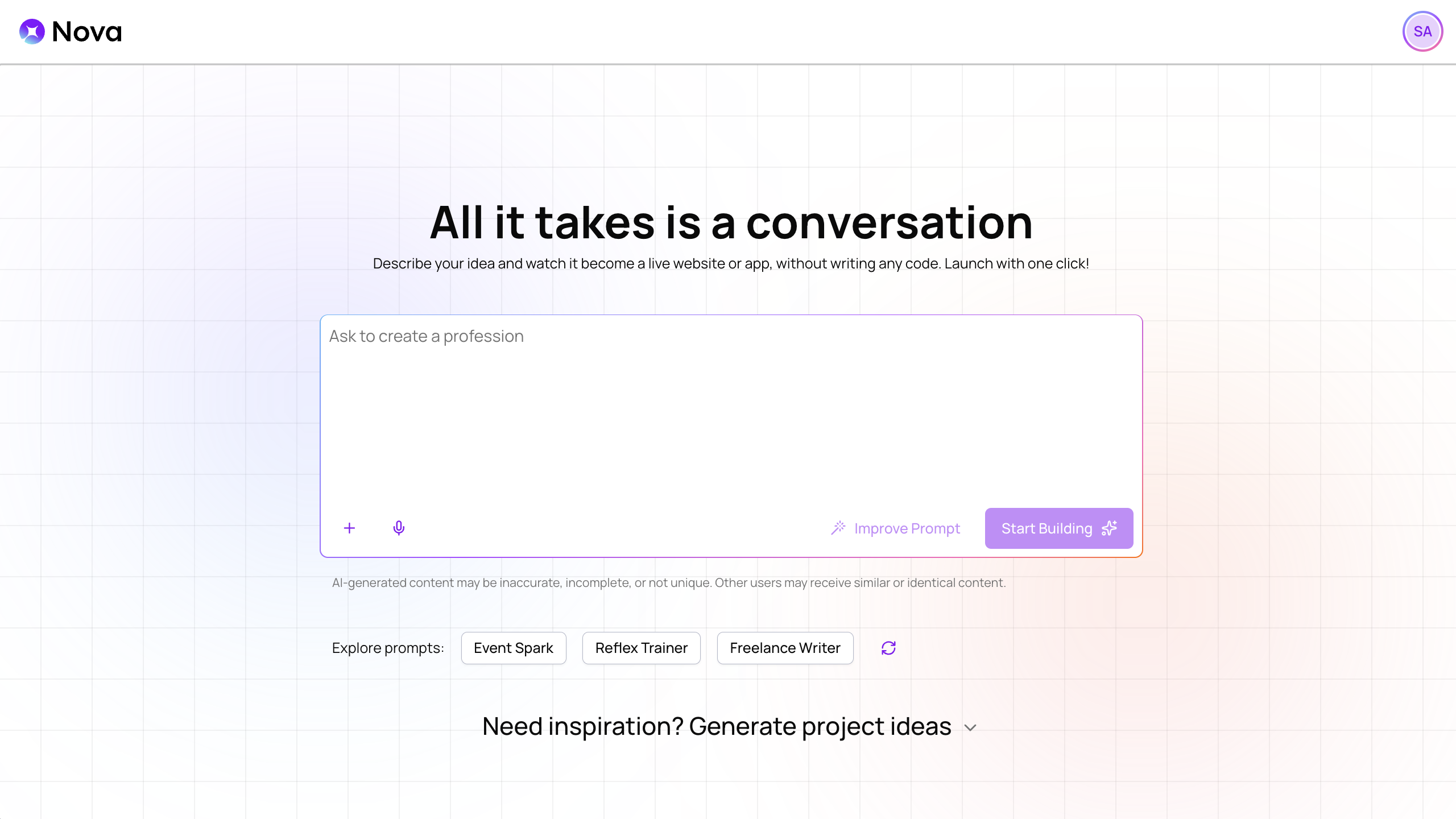 For example, you could enter this prompt to start a web app for a bakery:
{{< nova-prompt>}}
Create a web app for managing the inventory in my bakery. It should track ingredients, unsold products, and miscellaneous supplies with features for breaking down costs, setting reorder alerts, logging daily usage, and generating low-stock reports. Keep the design simple so that it's approachable for even new staff members to use.
{{< /nova-prompt >}}
{{< callout context="tip" icon="outline/rocket" >}}
- **Need a web app idea?** You can find quick ideas in the _Explore prompts_ section or click _Need inspiration? Generate project ideas_ to generate a prompt for a specific project type.
- **Want to refine your idea further?** Use [Improve Prompt](/en/features/create/improve-prompt/) to have Nova add details and structure to your prompt before you start building.
{{< /callout >}}
## Build your web app
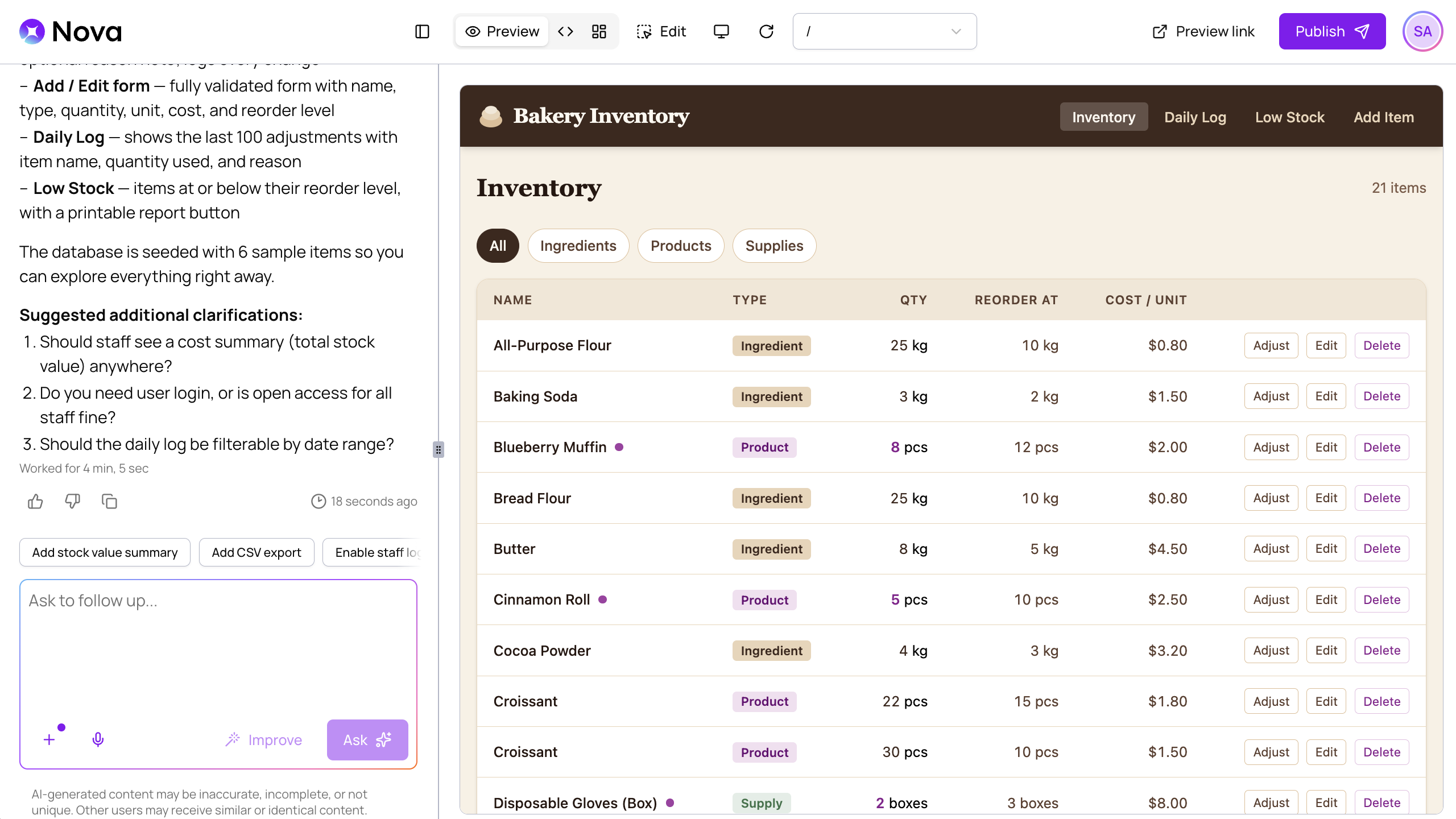
When you're ready, click _Start Building_ to generate the first version of your web app. Nova will create the interface design, database structure, and core functionality using the information in your prompt and any additional context you provided.
When Nova finishes, you can view your generated web app in the preview panel:
For example, you could enter this prompt to start a web app for a bakery:
{{< nova-prompt>}}
Create a web app for managing the inventory in my bakery. It should track ingredients, unsold products, and miscellaneous supplies with features for breaking down costs, setting reorder alerts, logging daily usage, and generating low-stock reports. Keep the design simple so that it's approachable for even new staff members to use.
{{< /nova-prompt >}}
{{< callout context="tip" icon="outline/rocket" >}}
- **Need a web app idea?** You can find quick ideas in the _Explore prompts_ section or click _Need inspiration? Generate project ideas_ to generate a prompt for a specific project type.
- **Want to refine your idea further?** Use [Improve Prompt](/en/features/create/improve-prompt/) to have Nova add details and structure to your prompt before you start building.
{{< /callout >}}
## Build your web app
When you're ready, click _Start Building_ to generate the first version of your web app. Nova will create the interface design, database structure, and core functionality using the information in your prompt and any additional context you provided.
When Nova finishes, you can view your generated web app in the preview panel:
 ## Refine your web app
Review your web app and make adjustments. You can make broad changes like asking Nova to change workflows or interaction patterns, or you can make specific edits to individual elements.
## Refine your web app
Review your web app and make adjustments. You can make broad changes like asking Nova to change workflows or interaction patterns, or you can make specific edits to individual elements.
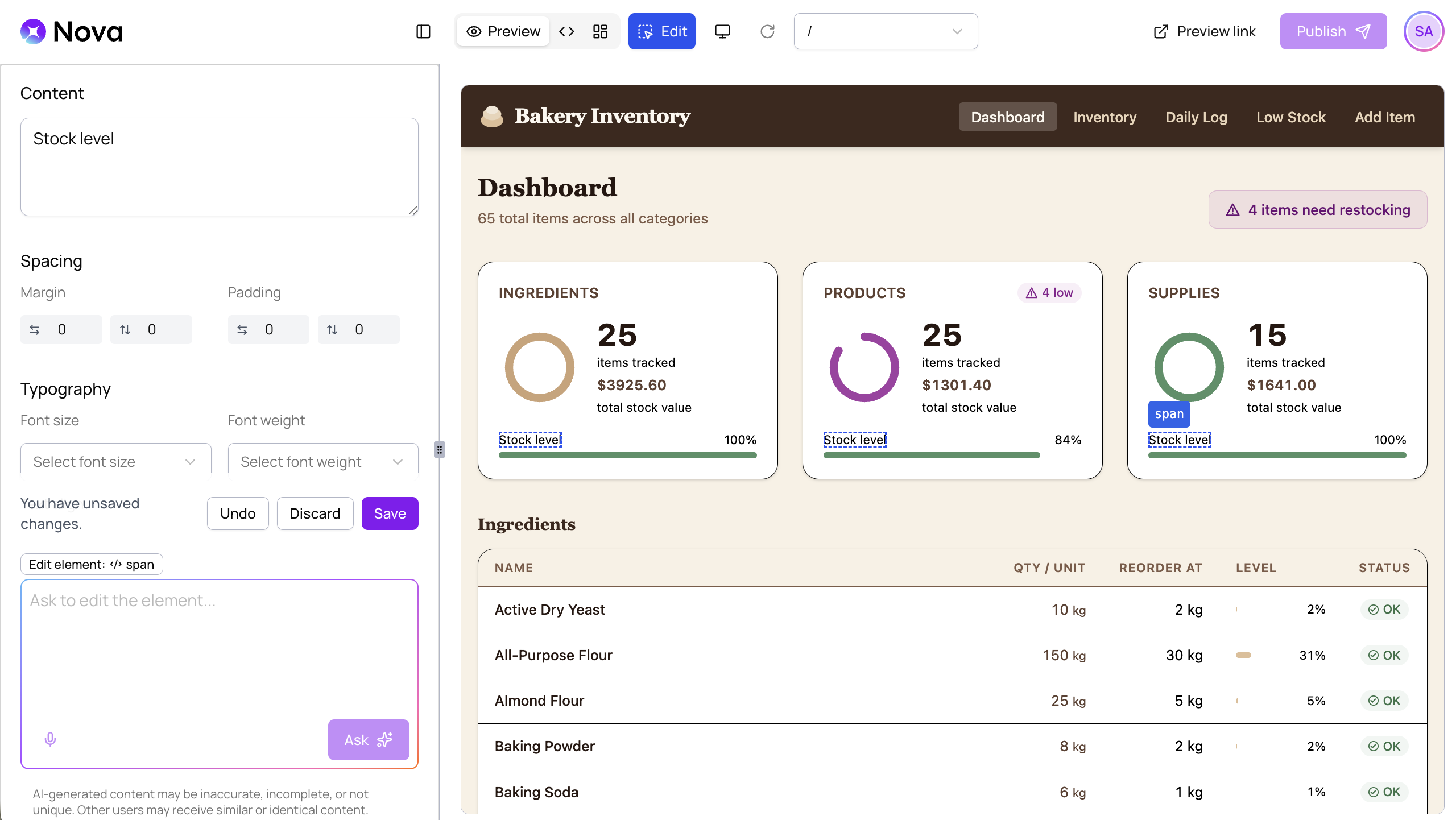 Nova includes several ways to easily refine your web app:
- **Chat with Nova** — Use the chat panel to make broad changes and ask followup questions.
- **Edit previous prompts** — Scroll to a previous message to adjust your prompt and regenerate from that point in the conversation.
- **Edit specific elements** — Make targeted adjustments to your web app's text, images, and other elements.
## Publish your web app
When you are happy with your web app, click _Publish_, select your domain, and click _Publish to Website_.
For more information, read our [Website Publishing](/en/features/publish/website-publishing/) documentation.
Nova includes several ways to easily refine your web app:
- **Chat with Nova** — Use the chat panel to make broad changes and ask followup questions.
- **Edit previous prompts** — Scroll to a previous message to adjust your prompt and regenerate from that point in the conversation.
- **Edit specific elements** — Make targeted adjustments to your web app's text, images, and other elements.
## Publish your web app
When you are happy with your web app, click _Publish_, select your domain, and click _Publish to Website_.
For more information, read our [Website Publishing](/en/features/publish/website-publishing/) documentation.