Title here
Summary here
Agent Mode is the default chat mode in Nova. It uses the information in your prompt to build and modify your project. We recommend that you use Improve Prompt while in Agent Mode to structure your prompt and generate more specific outcomes.
Agent Mode works best when you want to generate your next project from a strong prompt. Common uses include:
To enable Agent Mode, open the chat mode selector in the prompt toolbar and choose Agent (
 ).
).
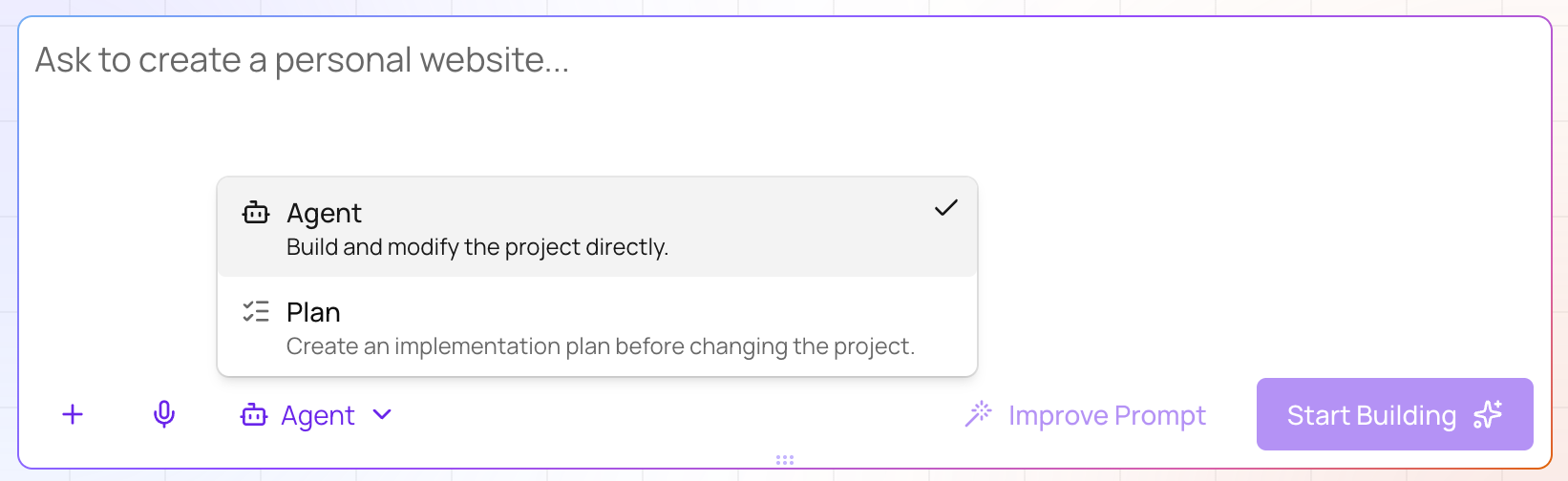
Then, enter a prompt describing your website or web app and click Start Building. For example, you could enter this prompt to build a simple, well-defined page directly:
Build a landing page for a local yoga studio with a class schedule, an About section, and a signup form for a free trial class. Use a calm, minimal design with soft greens and plenty of white space.For more information about building with Nova, read our Getting Started documentation.
If Nova does not start building after you click Start Building, you may be out of credits. You can see your credit balance and refresh date in the Account Menu. For more information, read our Billing and AI Credits documentation.
If the result doesn’t match what you wanted: